Dynamic Params
Storybook Controls gives you a graphical UI to interact with a component’s arguments dynamically without needing to code. It creates an addon panel next to your component examples (“stories”), so you can edit them live.
django-lookbook provides simple way to let developer use classic Django form to add Params Editor to the preview, which allow user to interact with the preview in real-time.
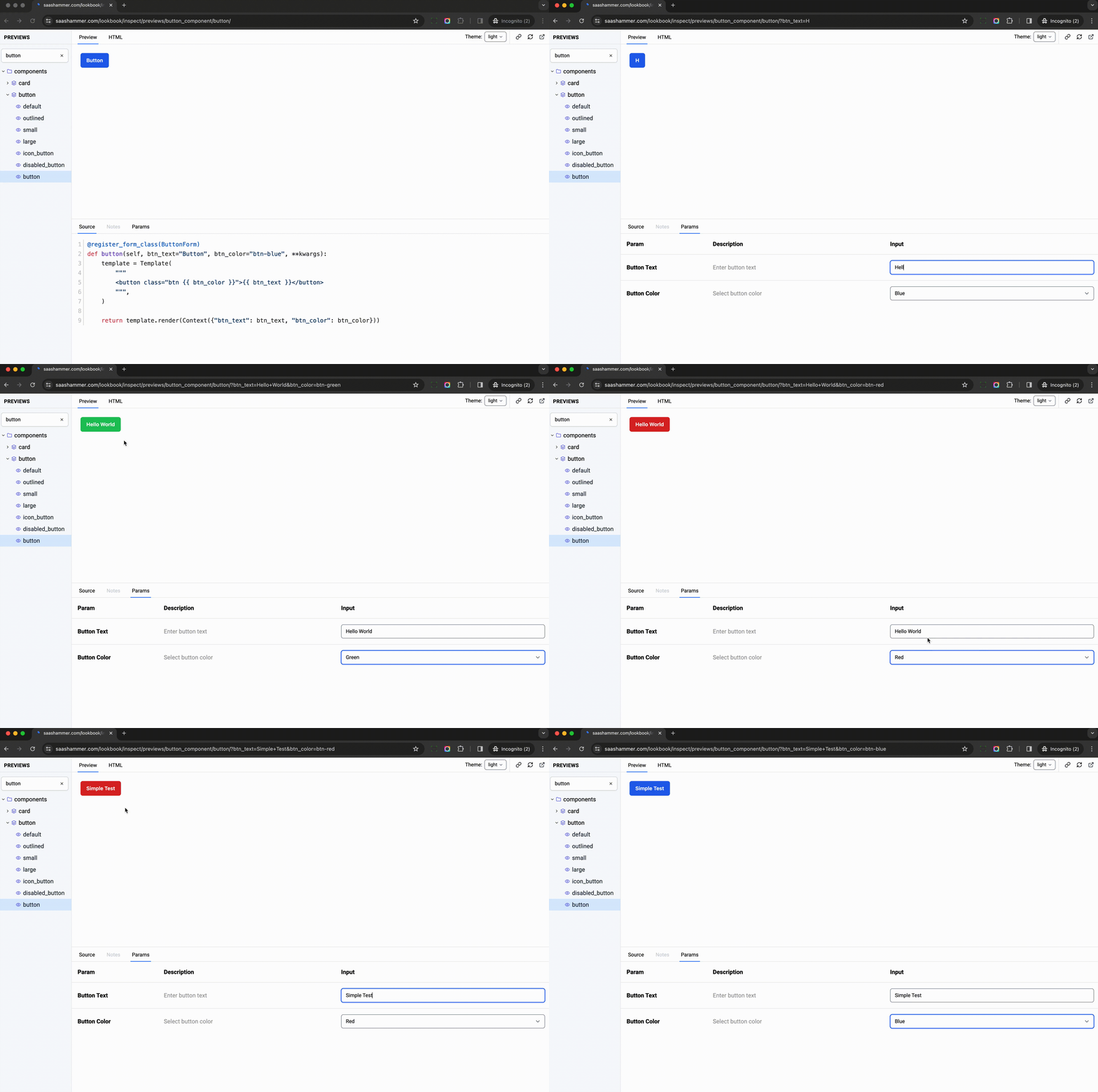
Let’s see how to build a preview with dynamic params.
from django import forms
from django.template import Context, Template
from django_viewcomponent.preview import ViewComponentPreview
from django_lookbook.utils import register_form_class     # new


class HelloForm(forms.Form):                     # new
    """
    This is to show how to add parameter editor to preview
    """
    name = forms.CharField(
        label="Name",
        max_length=100,
        help_text="Enter name text",
        initial="",
    )


class HelloComponentPreview(ViewComponentPreview):

    @register_form_class(HelloForm)       # new
    def hello_world_with_name(self, name=None, **kwargs):
        """
        This preview is to display hello world for a specific name
        """
        name = name if name else "Michael Yin"
        template = Template(
            """<div>Hello {{ name }}</div>""",
        )
        return template.render(Context({'name': name}))
Notes:
We defined a
HelloForm, which is a regular Django form, nothing special, the form hasnamefield.Use
@register_form_class(HelloForm)to attach the form class to the methodhello_world_with_nameThe preview method has
nameparameter, which is the same as the form field name.If the name is provided, it will be used, otherwise, it will use the default value
Michael Yin.
And then, let’s input Elon Musk in the name field of the Params tab, we can see the top iframe is also updated in real-time.

While user typing, the name field value is passed to the hello_world_with_name method, then the generated HTML will be used to update the preview.